RevinHi AI puts chat, pictures, video, ads and offline maps on one drive that runs on your Windows PC. No cloud, no account, no subscription. Nothing you ask leaves your computer unless you switch the internet on.
What it does
Everything runs on your PC, from the drive.
Pick from a store of open AI models for everyday questions, writing, coding and seeing pictures, including uncensored ones. Switch models mid-chat, or add more from the built-in store.
Ask to change a photo, make a picture, a video, a song or read something aloud, and your chat hands the job to the right specialist model on your PC. No copy-pasting between apps.
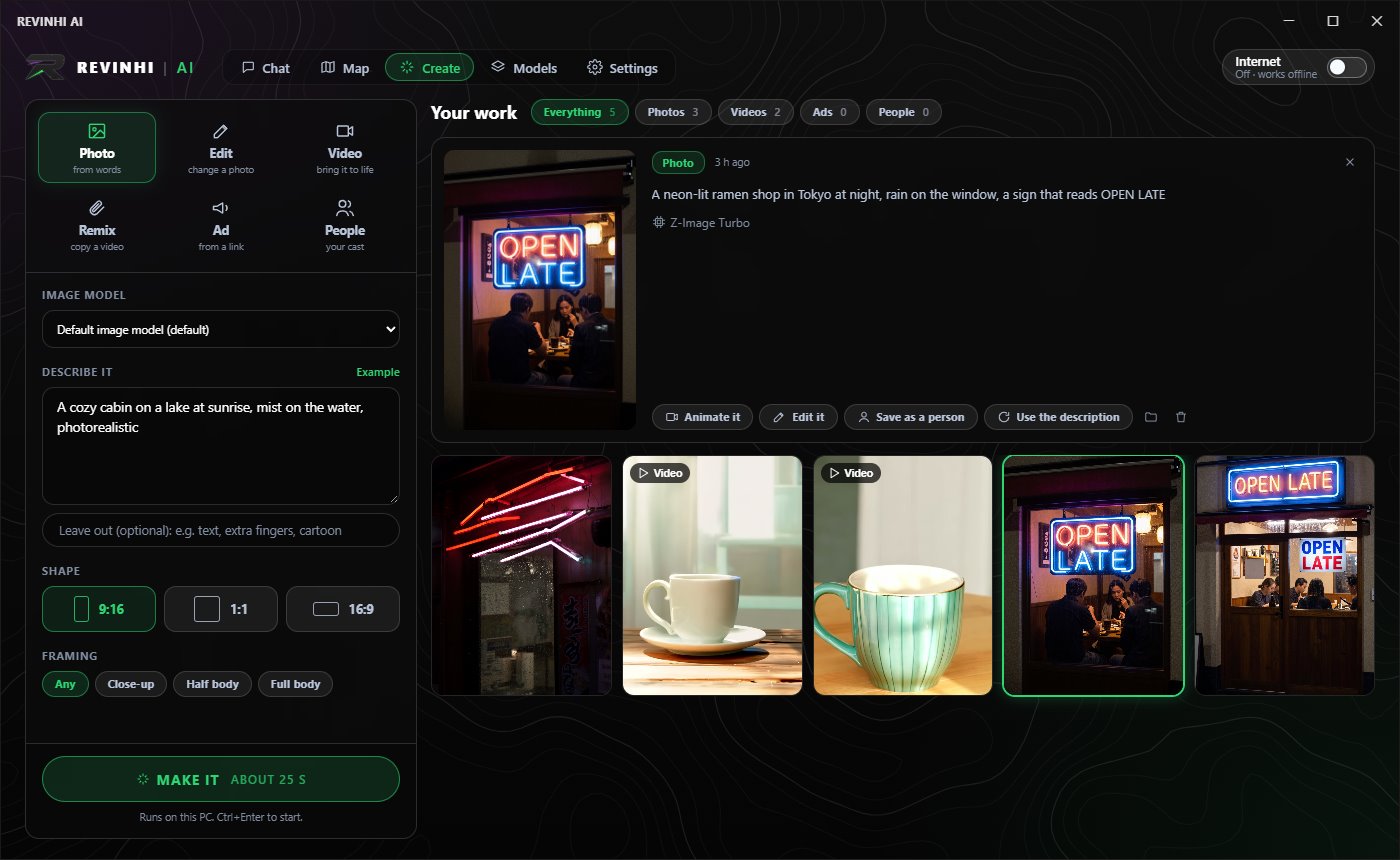
Make photos from a description, edit or combine photos, bring a picture to life as a short video, or copy the moves from a video you own. All rendered on your own graphics card.
Paste a product link and RevinHi AI reads the page, writes a script and plans talking and product scenes with a presenter you choose. Change anything before you export.
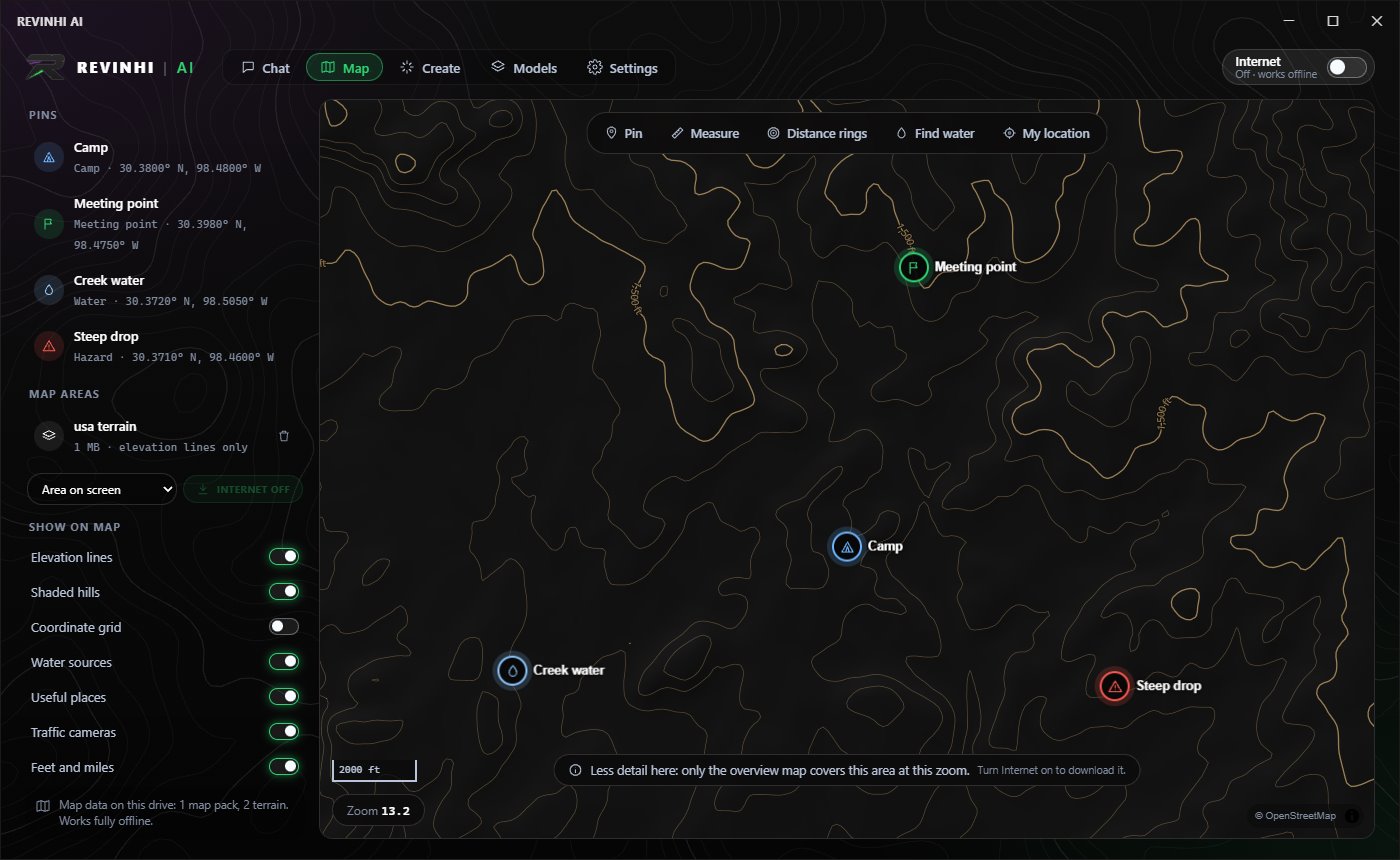
A tactical map with elevation lines, shaded hills, water sources, pins, distance rings and measuring, all working with no signal. Download more areas or satellite views when you're online.
Small AI models are bad at arithmetic, so RevinHi AI works out numbers, dates and money by running real calculations, and tests the code it writes before handing it over.
One switch. Off, nothing leaves your PC. On, the AI can search the web and read pages for current answers and name its sources, and the app can download maps and models.
No account, no cloud, no tracking of what you ask. Your chats, pictures and files stay on your drive, and it runs from the drive without installing anything on the PC.
Offline maps
Elevation lines, shaded hills, water sources and your own pins, saved on the drive. Measure routes and draw distance rings anywhere.
How it works
RevinHi AI comes ready to run on its own drive. Nothing to install on the PC.
Enter your license key once, then chat, create and map. The AI models run on your own hardware.
Switch Internet on to get app updates and add more models, maps and areas whenever you like.
Questions
Yes. The AI models, the maps and the app all run from the drive on your PC, so chatting, making pictures and using the map work with no internet at all. Internet is only used when you switch it on: web search, updates, and downloading more models or map areas.
Yes. There's no account and nothing is sent to a cloud service. Your chats, pictures, videos and map pins are saved on your drive. With Internet off, nothing leaves your PC.
A Windows 10 or 11 (64-bit) PC with a free USB port. Chat works on most modern PCs; the faster your computer, the faster the answers. Making pictures and video needs an NVIDIA graphics card, with 8 GB or more of video memory recommended.
Open AI models that run locally: general chat, coding, vision (models that can see pictures), image, photo-editing, video, music and voice models. The built-in model store shows which ones fit your PC, and you can add models when Internet is on.
Yes. Ask in plain words, like "make the jacket red" or "make a picture of a cabin on a lake at sunrise", and the chat sends the job to the picture or editing model and shows the result right in the conversation.
When Internet is on, RevinHi AI checks for a new version and shows an update popup. Updates are signed, so only genuine RevinHi updates are installed.
RevinHi AI is coming soon. Email revinhi@yahoo.com if you'd like to hear when it's available.
